Design an API
Step 1:
To design an API, the key points to think
are:
- The role of the API, what kind of data in the business
domain it deals with.
- Group the data and create a path (endpoint url) to
present the data and create required methods for each endpoint to
- If there are parts of data that can be reused between
multiple endpoints, identify them and create them as API components. API components
can be headers, parameters, schemas, request bodies and responses.
- Think about the potential users or consumers of the API
endpoints and how would you like to provide access
Step 2:
Log in to Syvizo API Platform and select
following component:
You will a list of APIprojects that are
available on the platform with access provided to you.
To create a new project, click on on the upper right corner.
A popup dialog will appear and ask if you
would like to create a blank project or import an already available OpenAPI schema in
json or yaml format as a new Project.
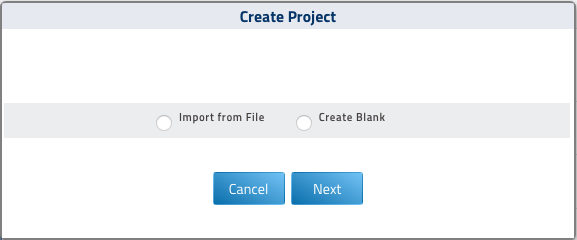
You can make your selection. In case you
already have a schema, it will be imported in the system and a project with name same
as “title” field in “info” part of the schema.
If you are creating a blank project, it will
ask you for a name for the project and create the project.
API project components are the parts of the
API structure and documentation.
Its a good practice to provide information for
the components with their description since these details are used not only to create
API structure for their usage but also as API documentation for API users to
understand and use the APIs.
The parts of API project are:
- Configs: This
represents the overall configuration of the API.
- API Details: Details
such as title, version, contact information, terms of use and description
- License Information:
Licensing information for the API users
- External Documentation:
Link to the external documentation if available
- API Security:
Information of the API security. The security could be one of:
- API Key: API key name
and its expected location in the request
- HTTP: The HTTP security
can be Basic, Bearer, Digest or Mutual
- OAuth2: OAuth2 security
with flow options such as implicit, password, client credentials and authorisation
code
- OpenID Connect: The
OpenID connect url needs to be provided
- Servers: You
can optionally add servers for documentation purpose
- Tags: Tags to
identify assets can be added here for documentation purpose
- Paths: Paths or endpoint urls identify a set of operations that can be performed on data. Paths typically have methods. The methods have attributes such as
- Summary: To provide a summary
of what the method is expected to do
- Parameters: Parameters
that are expected as part of request
- Body: The structure of
the body of the request with schema expected in the request
- Responses: A set of
responses that user can expect when the request is made
- External docs: an optional link and description to documentation that is available outside the platform
- Components: These are reusable components that can be
referenced in any of the methods in any path within current API project